
Play Meme Flapper or Create Your Own Browser Game
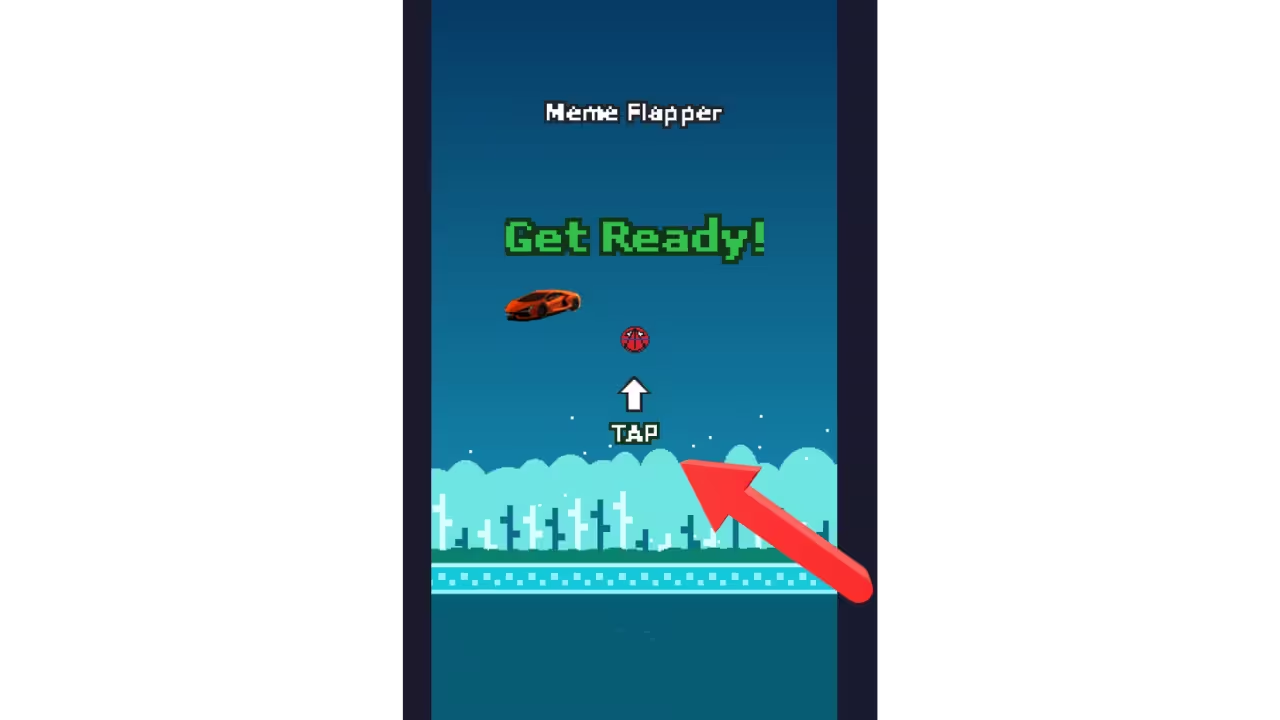
Meme Flapper is a free one-tap browser game with 100 pixel and 3D themes, 50 playable characters and customizable sound effects. Play instantly without downloading an app, or create a personalized game using your own photo and sounds. No sign-up, no install.
Play a Free One-Tap Browser Game
Tap the screen (or click, or press the spacebar) to make your character flap upward. Gravity pulls it down the moment you let go. Slip through the gap between each pair of pipes to score a point; touch anything and it's game over. Your best score is saved on your device, every run also counts on the online daily and all-time leaderboards (🏆 in the header), and it works instantly on phones, tablets and desktops. Play the one-tap browser game, or see how it compares to other games like Flappy Bird.
Create a Game From Your Photo
Upload a photo, cut out your character with the pen tool, and add optional sounds to build your own playable arcade game. No coding is needed. Create a game from your photo in about a minute.
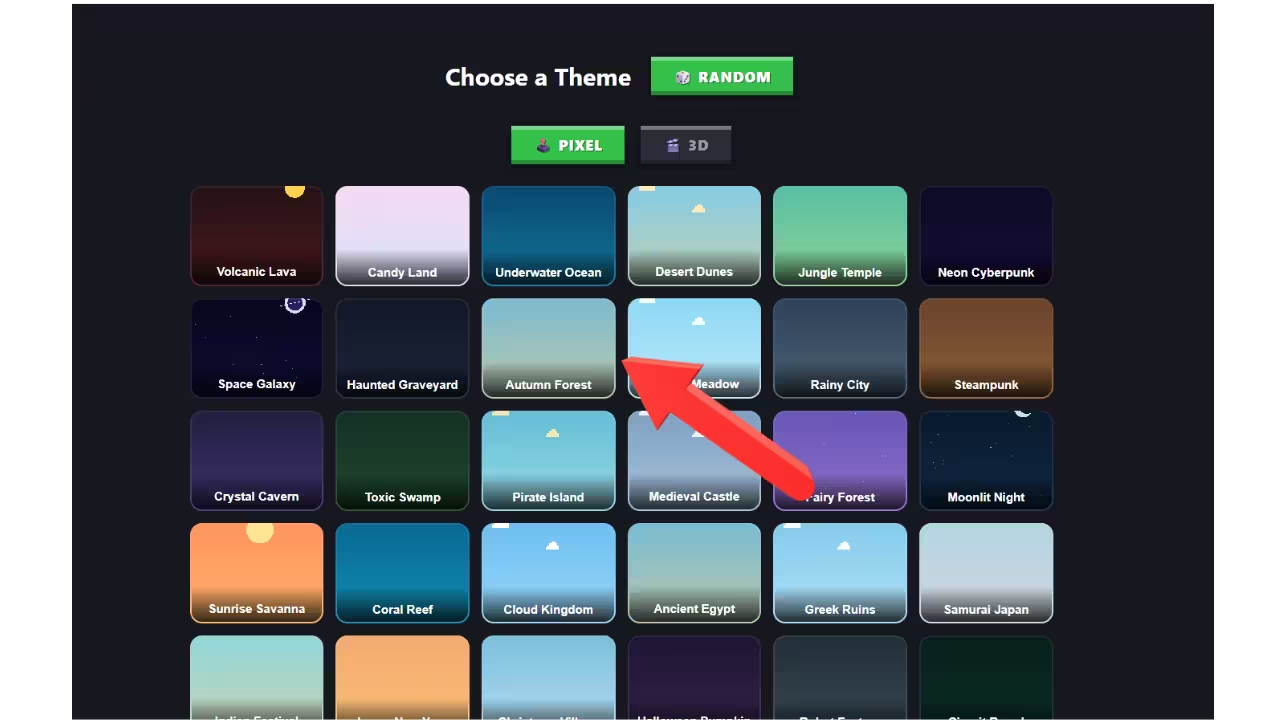
Choose From 100 Game Themes
Fly through 50 retro pixel-art stages and 50 glossy 3D scenes (deserts, oceans, neon cities, candy lands, haunted graveyards and more) with 50 characters from ninjas and astronauts to pandas and dragons. Explore all 100 game themes, or hit the 🎲 Random button in-game and let fate decide.
Private Browser-Based Creation
Photos and sounds you use in the creator are processed on your device and stored locally in your browser, never uploaded to any server. Prefer comedy in Tamil? The game also ships with a full Tamil meme sound library.
How to create your own custom game
Want to fly your own face, your pet, or your car through the pipes with your own meme sounds? The Create page turns any photo into a playable game in about a minute. Everything happens in your browser: nothing is uploaded anywhere.
-
Open the Creator
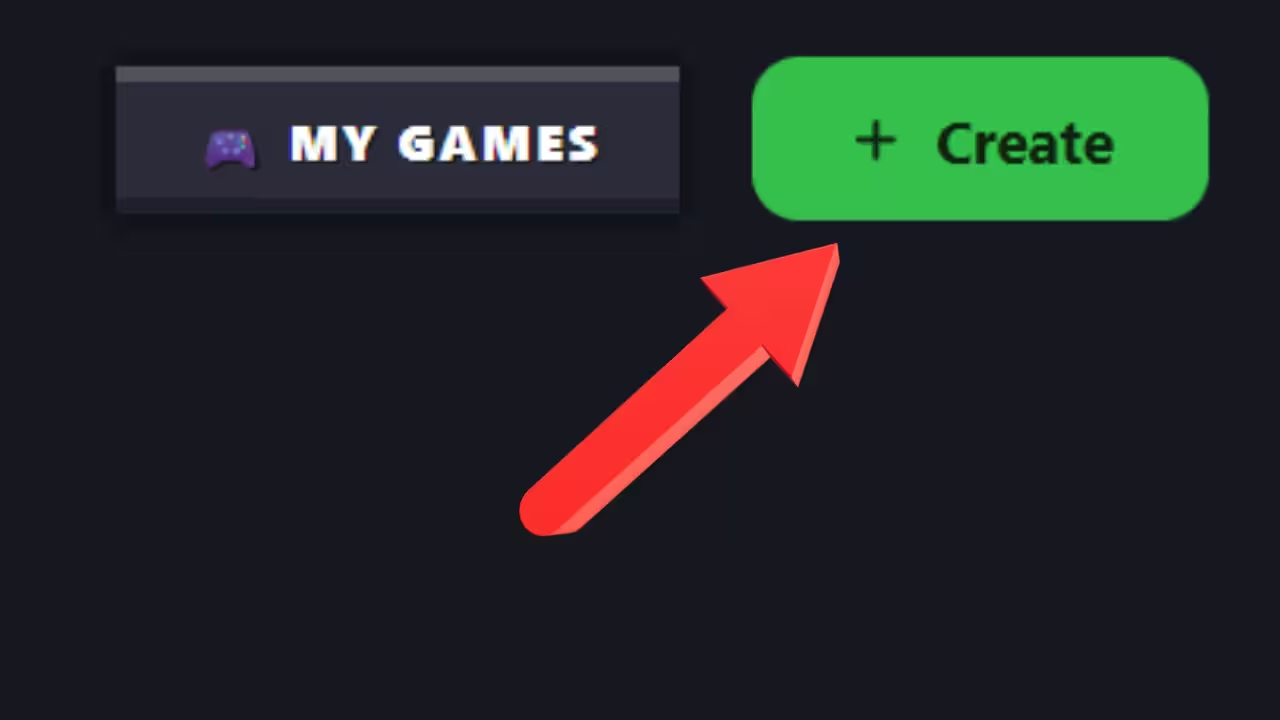
Click the green + Create button at the top of this page.
-
Upload your character
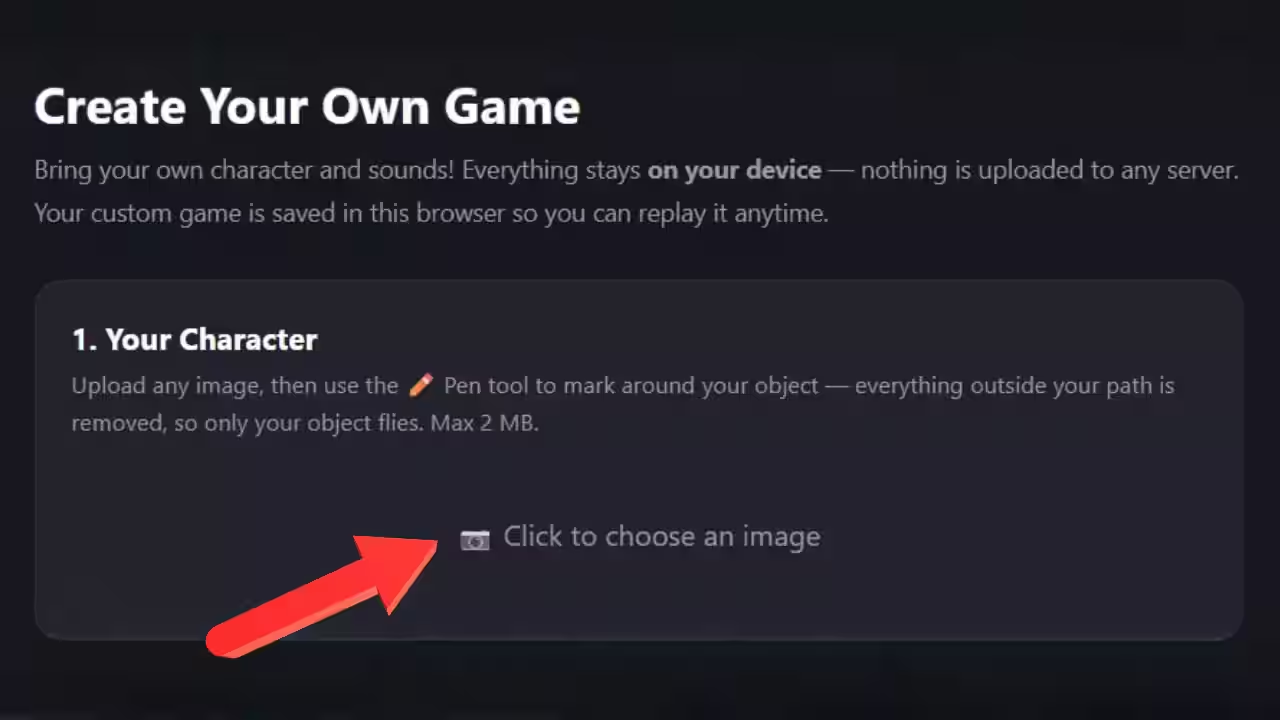
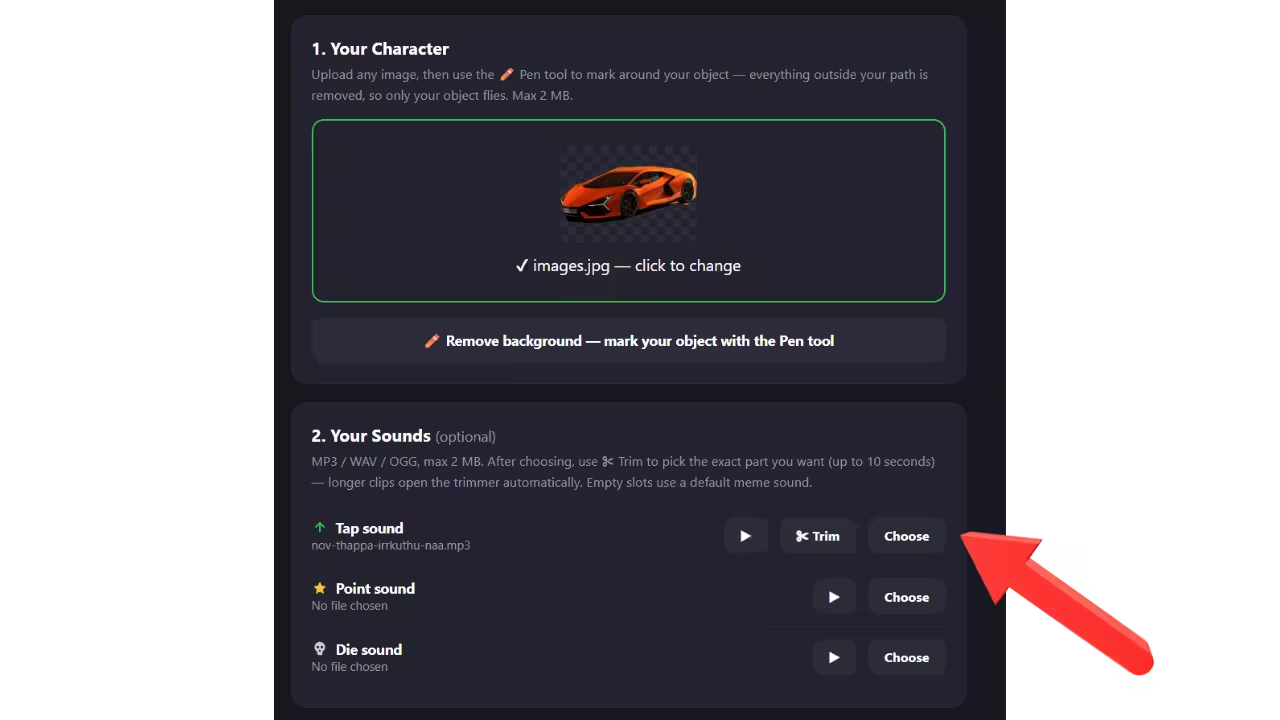
Choose any image up to 2 MB: a selfie, your pet, a toy, anything. A live preview shows how it will look at game size.
-
Cut out the background with the Pen tool
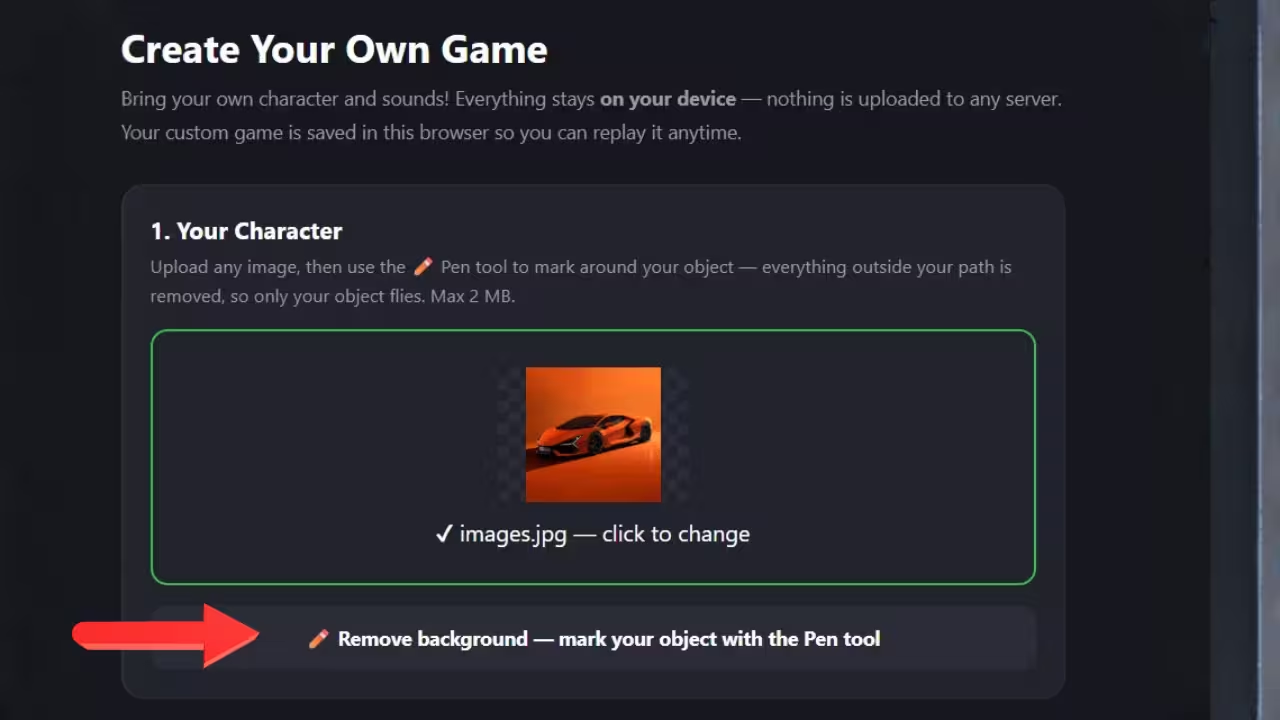
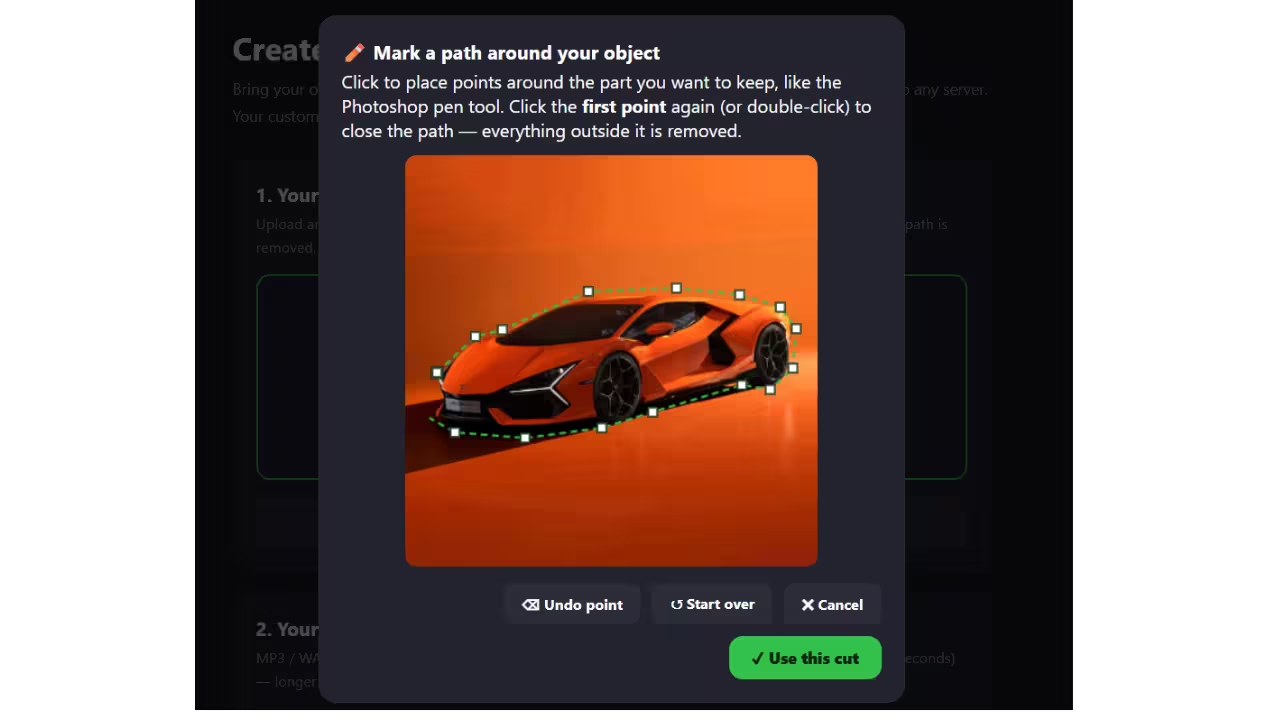
Click ✏️ Remove background, then tap points around your object like tracing with a pen. Click the first point again to close the loop. Everything outside it disappears, leaving just your character.
-
Add your sounds (optional)
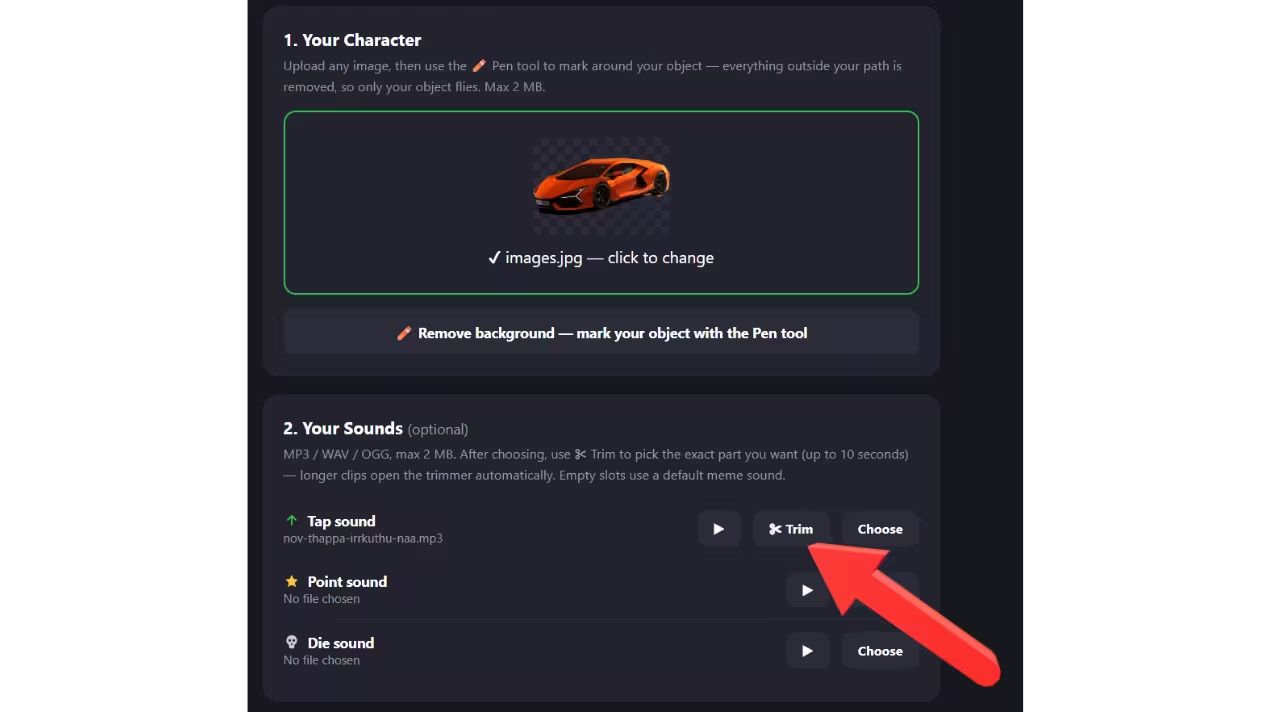
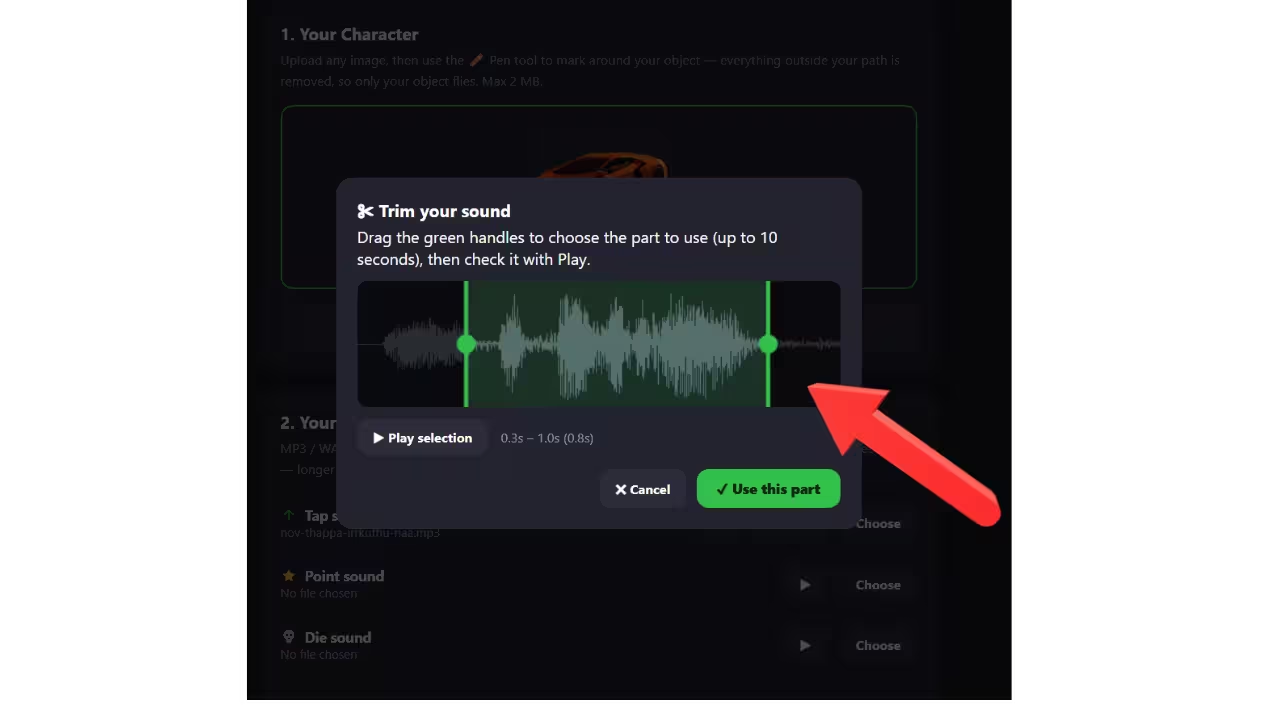
Pick a sound for tapping, scoring, and crashing. Long clip? The built-in ✂ Trim tool shows the waveform so you can drag out the exact part you want, up to 10 seconds.
-
Name it and press Save & Play
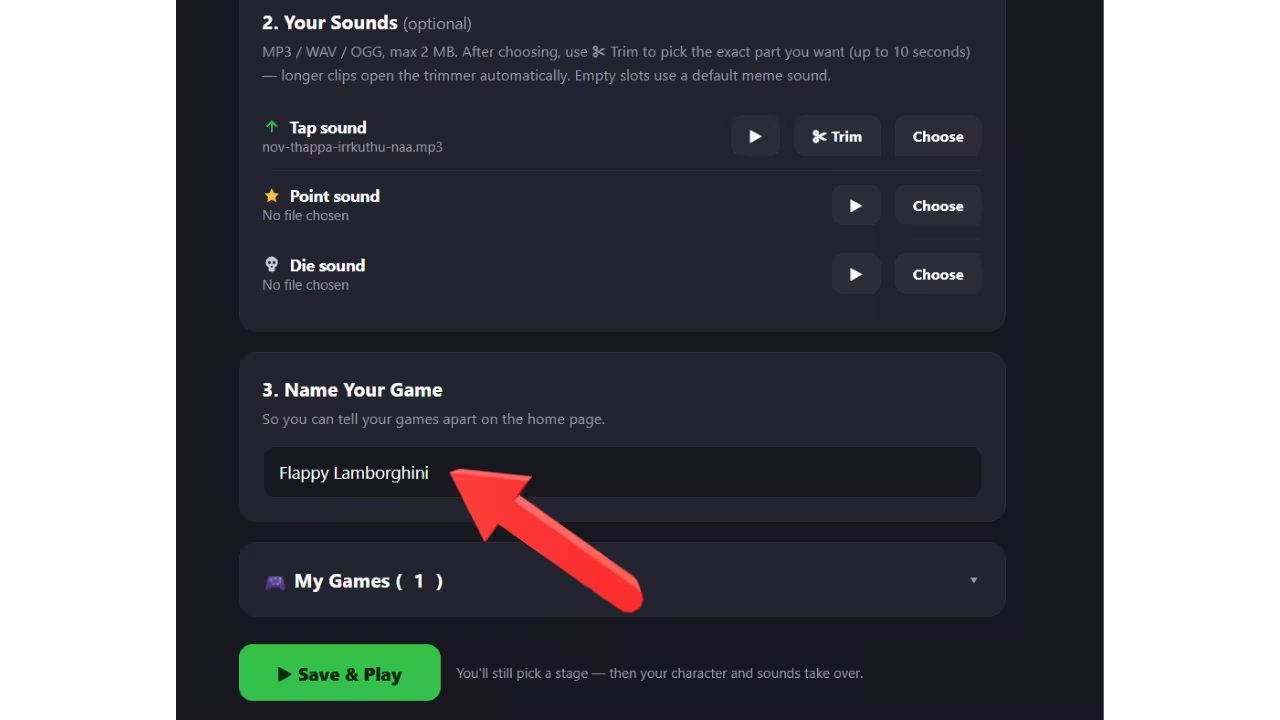
Give your game a name so you can tell your creations apart, then hit ▶ Save & Play.
-
Pick a stage and fly
Choose any of the 100 themes, then your character takes off with your sounds. Replay it anytime from the 🎮 My Games button in the header, where you can also delete old creations.
Frequently Asked Questions
Is Meme Flapper really free?
Yes, completely free to play, supported by ads. There's no download, no account, and no in-game purchases.
Do I need to install anything?
No. Meme Flapper runs directly in your browser on any phone, tablet, or computer. Just open the page and tap to play.
What is a one-tap game?
A game you control with a single input. Tapping the screen (or clicking, or pressing a key) makes your character flap upward, and gravity handles the rest. That one action is the whole control scheme, which makes it instant to learn and surprisingly hard to master. Curious about the physics and timing tricks? Read how one-tap flying games work.
What are the controls?
Tap the screen or click the mouse to flap. On a keyboard you can also press Space, W, or the Up arrow. Gravity pulls you down the moment you stop.
Where are my custom games stored?
Privately, in your own browser's storage on your device. Your images and sounds are never uploaded to any server. That also means custom games exist only in the browser you created them in, and clearing your browsing data removes them.
Why did my custom game disappear?
Custom games are saved per browser, per device. If you used private/incognito mode, switched browsers or devices, or cleared site data, the saved game won't be there. Recreate it on the Create page. It only takes a minute.
Is my high score saved?
Yes, twice. Your best score is saved automatically on your device and shown after every run, and any score of 1 or more also enters the online leaderboard, where you compete with every other player on the site.
How does the leaderboard work?
There are two boards: Daily, which resets at midnight UTC (a live countdown shows exactly when), and All Time, which never resets. Finish a run and your best score appears under your player name, which you can change anytime by tapping the name pill in the game. Top 50 are shown, no account needed. Open it from the 🏆 button in the header or right on the game-over screen.
How do I share my score?
Tap 📤 Share on the game-over screen. It copies the game link for pasting anywhere and creates a score card image (your name, score, best, and daily rank) that you can send straight to friends or download.
Can I share my custom game with friends?
Your score card and the game link share instantly with the Share button. The custom games themselves currently live only on your device for privacy, and a way to export a whole custom game is on the roadmap. For now, the fun way to show off a creation is a screen recording of your run!